Tuesday, July 3, 2012

on Leave a Comment


Increase Your Iphone Battery Life With These Easy To Use Tips

4digg 
Increase Your Iphone Battery Life With These Easy to Use Tips
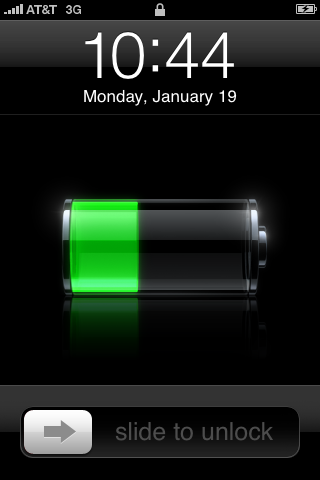
If you are an iPhone users then you must be aware of the less point of Apple’s iPhone is its Battery. With every usage of it the %age of battery decreases. Iphone offers its users whole new world of features, apps, games which cannot be resisted from exploring. But the main concern for the user will be saving the battery throughout the day. Maximum iPhone battery is 100% and it rapidly decreases according to the usage.
But every problem has a fix to it and Apple has done that for the battery issue. So let’s explore these few simple and few little tricky ones to get that extra bit of battery.
When Not in Use Turn off Your iPhone All Wireless Applications
All the latest phones, being specific Smartphone come with inbuilt wireless applications like Bluetooth and wifi access. So it is advised to switch off such features when they are not in use. As these features tends to deplete your iPhone battery fast. So turning them off can help you extend the battery life for several hours.
If not required then disable the 3G as well. As the 3G technology survives on the battery of the phone. If possible to turn off it will give you long battery life for whole day.
Make use of the auto brightness feature of your iPhone. This will automatically adjust the back light of IPhone as required. This adjustment also helps in saving battery.
Manually Lesser The Screen Brightness
Although you have enabled the auto brightness feature but in some scenarios it does not dim the light as required. There you can manually lower the brightness of the home screen for saving of the battery. Preferred is to keep your brightness to 49% to make optimum use of the iPhone battery.
End Background Apps
According to Apple, the background apps are not technically ‘running’, unless they are front and centre, which means they should not draw any power.
The multitasking application for the iPhone continues to use resources of system more efficiently depletes your battery.
Applications, for example, Skype or even other VoIP can be especially benefit from the battery when you perform within the setting and so it is better to start launching the applications only when you need which can save the battery life.
Cool Off The IPhone Temperature
High temperature of iPhone also eats up its battery life. If you find that while charging your phone the temperature is increasing, then remove the phone cover before plugging in for charging. Let it also have a breath of fresh air so place it on a table or in open space instead of your pocket. The optimum temperature for iPhone and its battery is between 32°F to 95° F.
Make Use of Solar Chargers
Solar chargers give you freedom of charging your iPhone from anywhere. So if your battery is dying out, you can save it with solar power.
Also another advantage is that you can follow the motto “Go green” while saving the electricity which in turn protects the environment.
Frequently Use your iPhone:
We all know that iphone is a precious thing for anyone but that does not mean that you restrict its use to protect it from daily wear and tear. It is best valued with optimum use of it. Not using the iPhone for a long time can reduce its battery life. Therefore one should use it regularly and change iPhone battery at least once every 6 months.
Apple has also strongly recommends that you should charge your iPhone when the battery is completely finished i.e. 0%.
So follow these tips and you can easily save your iPhone battery life and enjoy it for long.
If these tips don’t work it may be time for your IPhones battery to be replaced. For great deals on new batterys or even new IPhones check out Dial-A-Phone.co.uk.
Popularity: 6% [?]
on Leave a Comment

Tips For Maintaining Your Laptop

4digg 
Tips for Maintaining Your Laptop
Nowadays, many people are using laptops for their school work, business or leisure. However, laptops can lose their efficiency if not well-maintained. The following are some tips which will help enhance your laptop usage.
1. Watch out for dust
To ensure your laptop remains effective for a long time, you need to protect it from dust. An accumulation of dust in your laptop could block the ventilation areas and result in overheating. It is therefore very important to keep your laptop from being exposed to dust.
2. Keep it cool
Besides dust, it is also very important to protect your laptop from excessive heat. A laptop used in a cool, dry area will work more effectively and faster than if it was exposed to heat. To protect your laptop from overheating, avoid using it on your lap, bed or cushion since this will block the vents underneath which help in cooling. The best solution for this is to use a lap tray as a base for your laptop. Alternatively, you can invest in any of the laptop coolers which are sold in most computer stores.
3. Install a firewall and antivirus software
If you don’t use any antivirus, your laptop remains vulnerable to being infected by a virus. Make sure you use proper antivirus software to protect your laptop and keep it effective for longer. You should also installa firewall so as to restrict access to your laptop. A firewall will alert you anytime an external entity tries to access your laptop. You will then have the option of either blocking or allowing access. In addition, you need to be cautious about using external hard disks and flash disks with your laptop.
4. Eliminate unused programs
At times, you might have some programs in your laptop that you don’t really need. It is advisable to uninstall them so as to create more space in your hard drive. This will enable you to install other important applications and programs. Eliminating unused programs will also improve your laptop’s performance and make it easier to locate important files.
5. Defragment hard drives
When you have many programs in your laptop, it will take time to locate your important files. It is therefore very vital to defragment your drives frequently. Defragmenting will arrange your files in a way which makes them much easier to access.
6. Clean your registry
Once in a while, registry files might get corrupted thus resulting in a drastic and sudden change in your laptop’s performance. Make sure you run your registry cleaners frequently to find out if there are any corrupt files or errors.
7. Minimize programs to run during startup
Whenever you start your laptop, it will load all the system files, as well as the programs which have been selected to run during startup. The more programs you run, the longer it takes to startup. You should therefore minimize the number of programs that will run during the booting process.
8. Delete temporary internet files
Slow browsing speeds are often as a result of poor internet connection. However, in some cases, it might be due to too many temporary internet files saved in your laptop. You should therefore take time to delete such files from your laptop.
9. Empty the recycle bin
When files are deleted from your laptop, they end up in the recycle bin. This means that they are not actually deleted from the laptop; they have just been transferred to a different location. Thus, they still take up space in your hard drive. It is therefore important to empty your recycle bin as often as possible.
10. Power surge protection
Power surge protection is as important for laptops as it is for desktop computers. Replacing a laptop power supply is very costly compared to investing in a power surge protection device. Make sure you get one so as to protect the laptop itself, as well as your laptop power supply.
About Author:
Charles Mburugu has a passion for sharing tips for laptop and computer users. He is currently involved in a campaign promoting deals such as skin it discount codes and hp store coupon codes. He also writes on web-based technologies such as social media.
Popularity

Sunday, July 1, 2012

on Leave a Comment

How to Create an Invoice Using Your Paypal Account


                         How to Create an Invoice Using Your PayPal Account


If you have an online business and you give quotes to your customers for custom jobs then you probably use some form of an invoicing system to collect the money from the customers.
You have most probably used or are currently using PayPal in some capacity to receive payments for your products or services. PayPal is the most popular payment gateway for online merchants and consumers alike and is used by tens of millions of people to sell products from their websites.
Apart from giving you the ability to accept payments from customers via “Add to Cart” or “Buy Now” buttons on your site, PayPal also has functionality which makes it possible for you to create and send invoices directly from your PayPal account.
The invoice functionality offered by PayPal is free and is a somewhat overlooked and seemingly little known feature.
PayPal’s invoicing feature can be a very useful tool for anybody who wishes to request a payment from someone in a professional manner. This is in contrast to the simpler “Request Money” feature which is also available from your PayPal account and which allows for a basic message requesting payment to be sent to anybody with an email address.
As we’ll see in the example below, with the PayPal invoicing feature, you can tailor your invoices to look official and professional and hence add that extra touch of quality to how you request payments from your clients.
The added beauty of using PayPal’s invoices is that they not only allow people to pay you using their PayPal account, but they also make it possible for people to send money even if they don’t have an account with PayPal but they simply want to pay using their credit or debit card.

 A Step by Step Guide on Creating a PayPal Invoice


Friday, June 22, 2012

on Leave a Comment

Amazon Android App store coming to Europe, devs earn more cash

By r.Somesh Bhardwaj
On June 21, 2012, 6:30 PM EST
amazon, android, software, app store, program, developer, smartphone, handset, marketplace, application, app, apps, amazon android a
To encourage growth, Amazon has announced changes for developers submitting apps to its Android App store as well as revealing the portal will expand to European countries following the success of its US launch last March.
The UK, France, Italy, Germany and Spain will get access to the store later this summer with other countries following soon. Developers can submit apps ahead of App store's launch.
"Now is a great time for new developers to sign up and become familiar with the program. You have the ability to select the countries where you would like your apps to be sold and set your list prices by marketplace," the company said on its App Distribution Blog.
Changes have also been made to the Amazon Mobile App Distribution agreement to help make things easier for developers, including a more simplified submission process. Perhaps of most interest to devs: you'll get 70% of the proceeds from apps sold after July 1.
Previously, Amazon paid either 70% of the sale price, or 20% of the list price depending on which was greater. New developers will also be pleased to learn that the online retailer will waive annual fees for the remainder of 2012 to boost its app portfolio.
Those already uploading apps to Amazon's portal will find their apps automatically made available for every new market, though Amazon noted that the developers were responsible for ensuring their apps comply with local laws.
on Leave a Comment

Nokia says they are doing 'more than enough' for Lumia users

By Er.omesh Bhardwaj
On June 21, 2012, 5:00 PM EST
microsoft, nokia, windows phone 7.5, upgrade, lumia, windows phone 8, w
Microsoft kicked off their Windows Phone Developer Summit yesterday by detailing several new features in Windows Phone 8 and filling in some of the blanks surrounding the existing mobile phone operating system. Specifically, Microsoft confirmed that handsets like the Lumia 900 would not be compatiblewith the new OS due out later this year.
Instead, legacy hardware will be upgraded to Windows Phone 7.8, an OS that will deliver some fresh features like a new Start Screen interface. This admission sparked some debate as to whether Microsoft and Nokia are doing enough for existing Lumia owners. In search of more answers, The Verge recently sat down with Nokia’s Kevin Shields to get some answers.
In a nutshell, Shields feels that Nokia is doing more than enough, pointing out that most customers probably aren’t aware of the upgrade roadblock. He further notes that anyone that walks into a store and buys a Lumia 900 is getting a great offer on a product that has a long lifetime of innovation.
During yesterday’s event, Nokia announced a new set of apps and updates coming to Lumia phones in the US and China in the near future. The Camera Extras app includes burst shooting, an action shot mode and a panorama mode while the Play To app helps users stream photos and videos to any DLNA device, such as a Smart TV, PC, Mac, PS3 or Xbox 360. Both of these features should be available by the weekend.
Counters and Contact Share allow the user to monitor phone usage and share contacts, respectively. Both will be available to those in the US next month.
Powered by Blogger.